When AI recommends your hotel, you’ll want to know what it says, where it sends people and whether anyone goes on to book.
You might find that ChatGPT links to an online travel agent instead of your website. Or that an old page is still being used to answer questions about your facilities.
Tracking hotel visibility in AI search helps you spot these details and decide what needs attention. Here’s how to approach it.
What Should Hotels Track in AI Search?
To understand your hotel’s AI visibility and its business impact, track four measures separately:
- Mentions: AI names or recommends your hotel.
- Website citations: AI links to your hotel’s website as a source.
- Visits: People click through from AI platforms to your website.
- Bookings: Confirmed reservations attributed to those visits.
ChatGPT might recommend your hotel but link to Booking.com, giving you a mention without a link to your own website. A local-area guide on your hotel’s website might earn a citation without the hotel being recommended.
These measures won’t always move together. More citations don’t necessarily mean more visits or bookings. Track each separately; the tools below help you measure different parts of the journey.
Monitoring Tools for Hotel Visibility in AI Search
Each tool reports something different. GA4 shows identifiable visits and bookings, Search Console reports Google visibility, and Bing and Clarity provide citation and query insights. Semrush and manual checks let you monitor selected questions and read the answers.
Together, they give you more to work with than any one report alone.
GA4: Visits and Bookings
Google Analytics 4, or GA4, shows where website visitors come from and what they do next.
Its built-in AI Assistant channel groups recognised AI visits. A custom AI channel gives you control over which identifiable sources you include. With the relevant events tracked, a dedicated report can show landing pages, availability searches, bookings and revenue.
To check the built-in channel, open Reports → Acquisition → Traffic acquisition, choose Session default channel group and search the table for AI Assistant. Add Session source / medium as a secondary dimension to see the sources. Review sessions, booking key events and revenue where tracking is configured. Google’s report guide explains the controls.
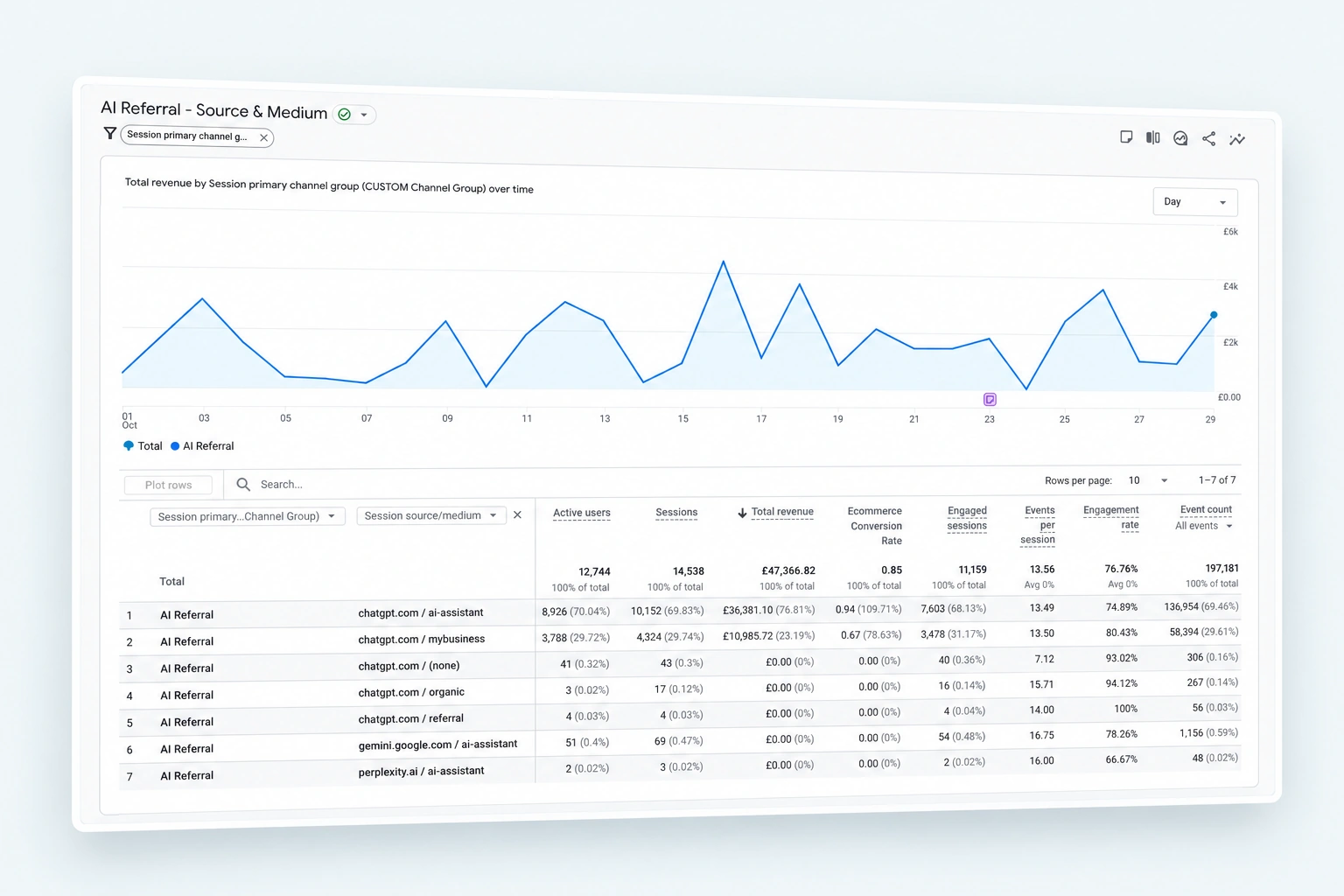
Google’s AI Overviews and AI Mode remain within Organic Search. A custom channel won’t separate those visits from ordinary Google search clicks. Google’s channel definitions explain the distinction.
Check that tracking continues when guests move to your booking engine, particularly if it uses a different web address. Count “Book now” clicks separately from completed reservations.
Some AI-influenced bookings will remain difficult to identify. A guest might discover your hotel through ChatGPT and return later by searching your name.
Google Search Console
Google Search Console shows the searches your website appears for, along with impressions and clicks. Look for themes such as family rooms, parking, spa breaks and nearby attractions. These give you relevant questions to investigate in AI tools.
The Generative AI performance report provides impressions for links shown in AI Overviews and AI Mode, broken down by page, country, device and date. It may be absent when there isn’t enough qualifying activity. Google’s documentation explains its coverage.
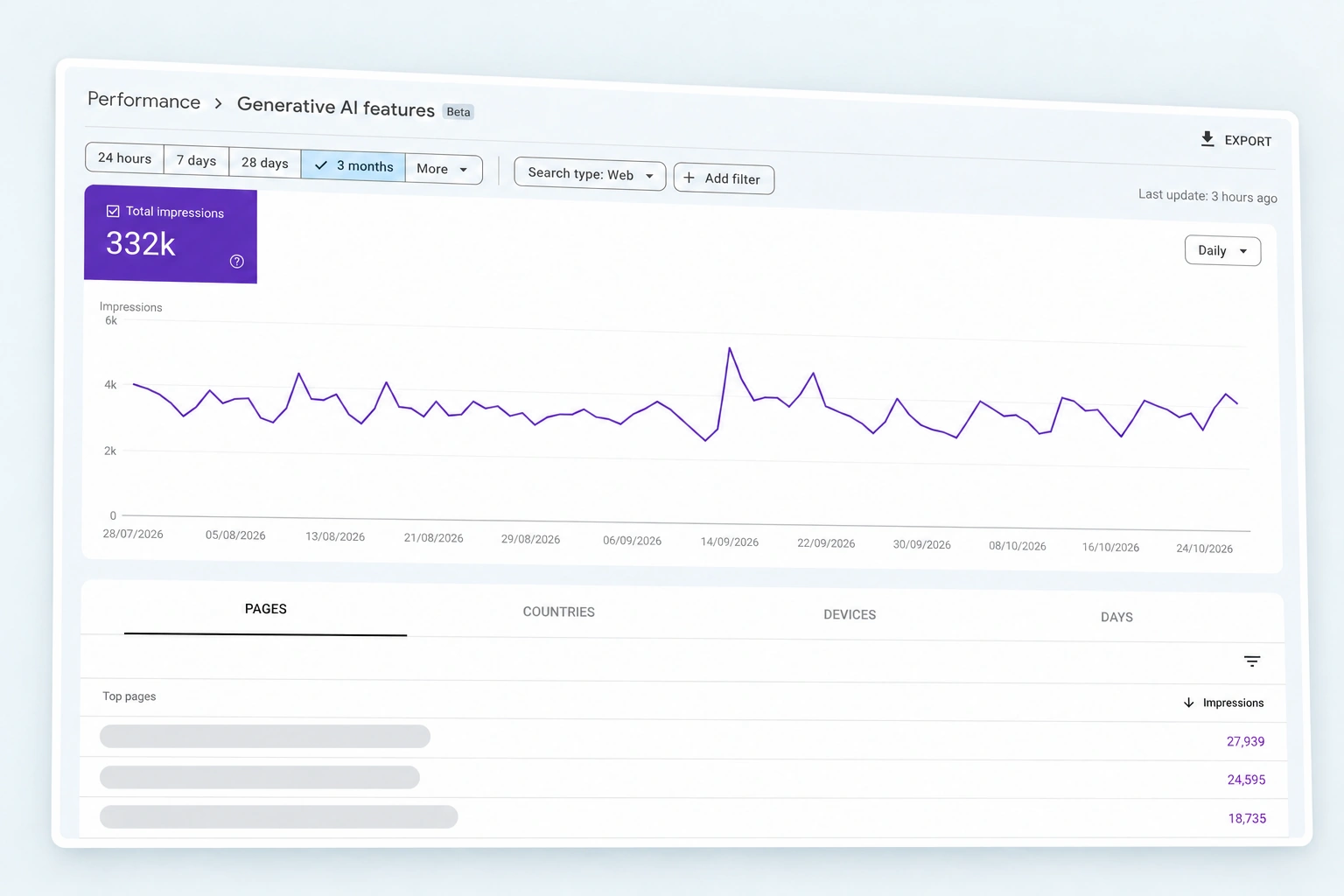
Check which pages appear. If an old local-event article is getting attention, update it and give visitors a clear route to your rooms.
A question appearing in Search Console’s ordinary search query data doesn’t prove an AI answer was shown.
Bing Webmaster Tools
Bing’s AI Performance report shows citation activity across Microsoft Copilot, Bing’s AI summaries and selected partner experiences.
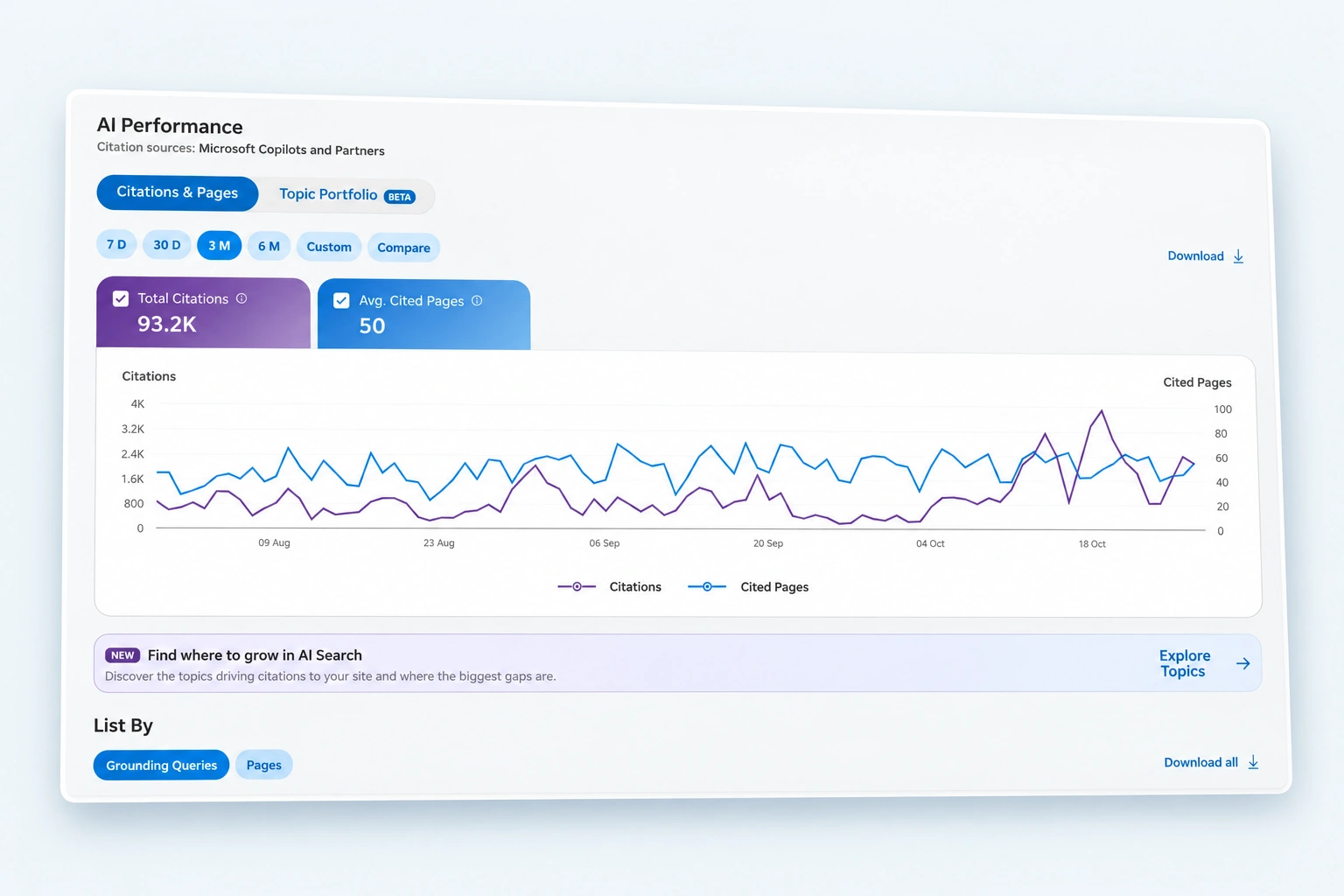
Its grounding queries are grouped phrases associated with content AI retrieved. They summarise sampled activity across multiple answers, rather than showing individual guests’ conversations.
For a hotel near Paddington, relevant phrases might concern family accommodation, parking or station access. You can explore the pages cited for a phrase, or start with a page and see its associated queries.
Topics and Intents, currently in preview, group this activity by subject and intent. The Topics Portfolio beta also identifies queries where other websites appear and yours doesn’t, where sufficient data is available. Its figures and classifications are approximate.
See Bing’s report documentation and Topics Portfolio announcement.
Microsoft Clarity
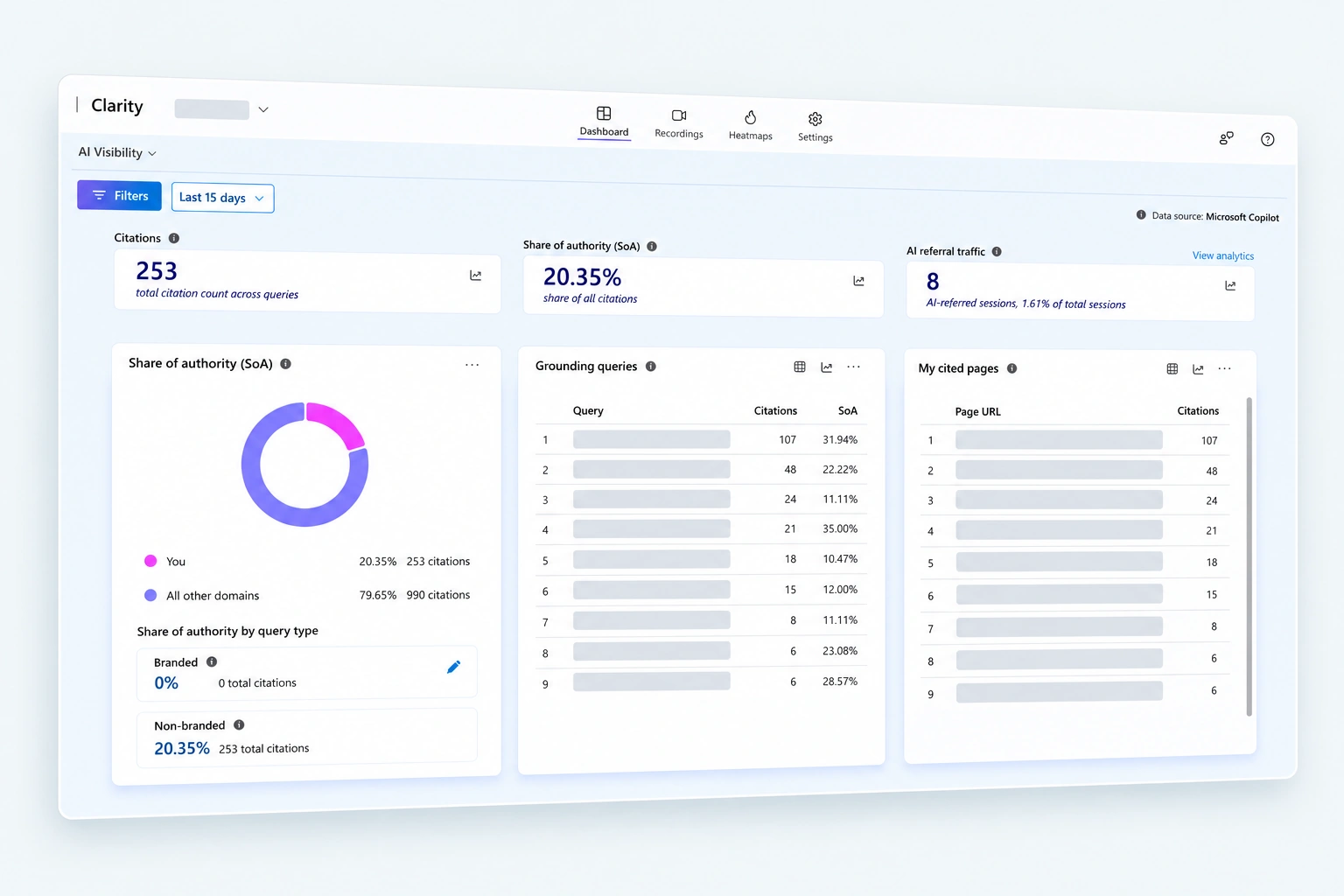
Clarity’s citation dashboard shows grounding queries and cited pages. Query Topics groups related queries, while branded and non-branded labels distinguish queries involving your hotel’s name from broader discovery.
Share of authority is the percentage of recorded citations credited to your website, calculated for queries on days when your site was cited.
The Topic Insights beta tests prompts you choose using Clarity’s own AI setup. It provides generated answers, competing sources and content suggestions. Availability varies by project, and the results are guidance rather than a direct view of answers across every platform. Microsoft explains the setup here.
Clarity also records visits and shows where people click and scroll. Can recorded visitors from AI sources find room information and check availability? Someone arriving on your sustainability page may still need directions, room details and a way to book.
Report Bing and Clarity separately, and compare each tool’s figures over time.
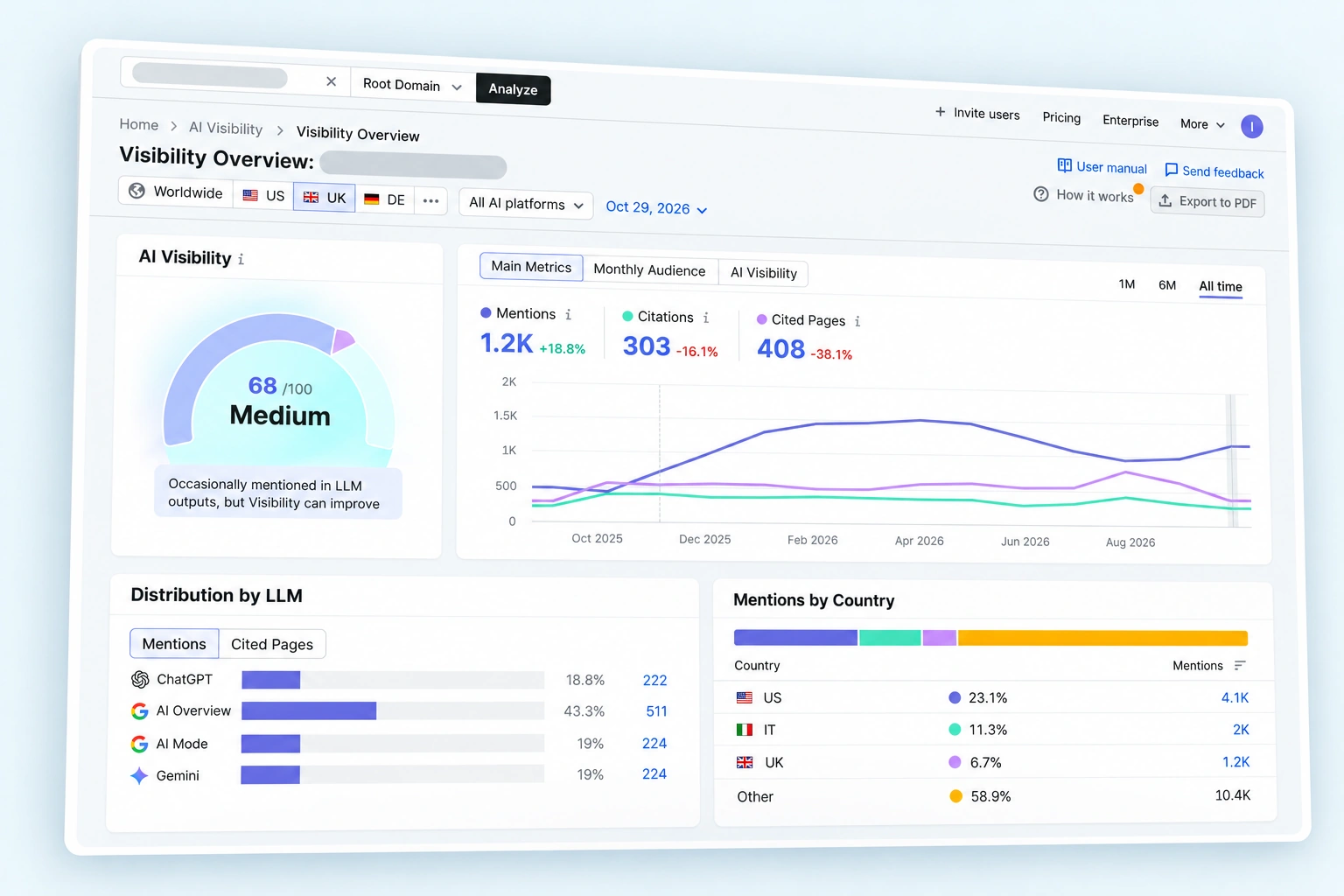
Semrush
Semrush’s paid Prompt Tracking checks questions you choose daily in ChatGPT Search, Google AI Mode and Gemini. It requires Semrush’s AI Visibility Toolkit subscription. Prompt allowances depend on your subscription.
Build your list from guest enquiries, Search Console data and themes found in Bing and Clarity. Include your hotel’s name in some questions and use broader discovery questions in others:
- “Which Edinburgh hotels have family rooms and parking?”
- “Where can I book a spa hotel near Bath?”
To start tracking, go to AI Visibility → Prompt Tracking and click Add new target. Choose ChatGPT, Google AI Mode or Gemini, set your location and language where available, then click Continue To Prompts. Paste one prompt per line or import your list, then click Start Tracking. Repeat for each AI platform you want to monitor.
Keep the wording and target markets consistent when comparing results. The scores reflect the prompts and platforms being tracked.
Checking the Answers Yourself
Once a month, review a consistent set of prompts across relevant AI search platforms. Run each prompt once per platform in a new conversation and save the answer text or a screenshot alongside your spreadsheet. Treat this as a snapshot: use it to identify inaccuracies and issues worth investigating, and avoid interpreting one changed answer as proof that your hotel’s visibility has improved or declined.
For your most important prompts, consider repeating the check in a new conversation to see how consistent the answers are.
Keep a spreadsheet recording:
- The prompt, platform, model or search mode, date and target market.
- Whether your hotel was mentioned or recommended.
- Which competing hotels appeared and your position, if listed.
- How your hotel was described, including inaccurate information.
- Which sources were linked, including your website, OTAs and review sites.
Keep the wording, language, search settings and signed-in or signed-out approach consistent between monthly reviews. Where available, disable memory and personalisation for the checks.
Compare your results with hotels competing for the same guests. If another property appears regularly, investigate its website content and the sources cited for ideas worth exploring.
For overseas markets, record where you are searching from as well as the hotel’s destination. A VPN can help test another country’s network location, although account settings and device location may still influence the answer.
Record significant website changes and compare subsequent monthly results with your baseline. Look for patterns in hotel appearances, recommendation order and links to your own website across several reviews.
Check practical details carefully. If AI says your parking is free and it isn’t, investigate the cited information and correct anything you control before your reception team has to explain the difference.
The Monthly Report
Bring the findings into a monthly report, using Looker Studio where appropriate. Show mentions, citations, identifiable visits and bookings separately, with actual numbers alongside percentage changes. Compare similar periods and account for seasonality.
Then agree specific actions. A frequently cited transport guide may need better links to your rooms. Missing family-stay recommendations may prompt a review of room capacity information and children’s facilities.
AI visibility tracking is still early days, and I don’t think any tool gives us the complete picture yet. GA4 and GSC still have a long way to go in showing the prompts and themes behind a specific hotel mention.
For now, I’d combine several tools and compare their findings. A few more tabs open, admittedly, but a fuller picture of what’s happening.
How to Choose the Best AI SEO Agency for Hotels
Ask to see an example hotel report. The agency should explain what it measures, where the information comes from and what it would change next. Be cautious of guaranteed AI rankings or reports built entirely around a few favourable screenshots.
Recommendations should relate to your property. They might include clearer room information, accurate listings, stronger reviews, relevant third-party mentions or improvements to the booking journey.
At UP Hotel Agency, we can help set up measurement and act on the findings alongside your wider hotel marketing.
Explore our GEO and AI optimisation services for hotels, or talk to the UP team.
Frequently Asked Questions
Make your website accessible, answer guest questions clearly and keep your hotel information consistent across your website and other listings. Genuine reviews and relevant third-party coverage also help establish credibility. Our hotel AI search guide explains where to start.
A mention is when an AI answer names your hotel. A citation is when it links to your website as a source. Your hotel can receive a mention without a link, so track these separately.
They show retrieval phrases and related themes, rather than a log of guests’ conversations. Clarity’s Topic Insights also lets you run tests using prompts you choose.
Yes, when the source can be identified and booking tracking works correctly. It won’t identify every booking influenced by ChatGPT.
Monthly is a practical starting point. Check accuracy again after changes to facilities, policies or important website information.